
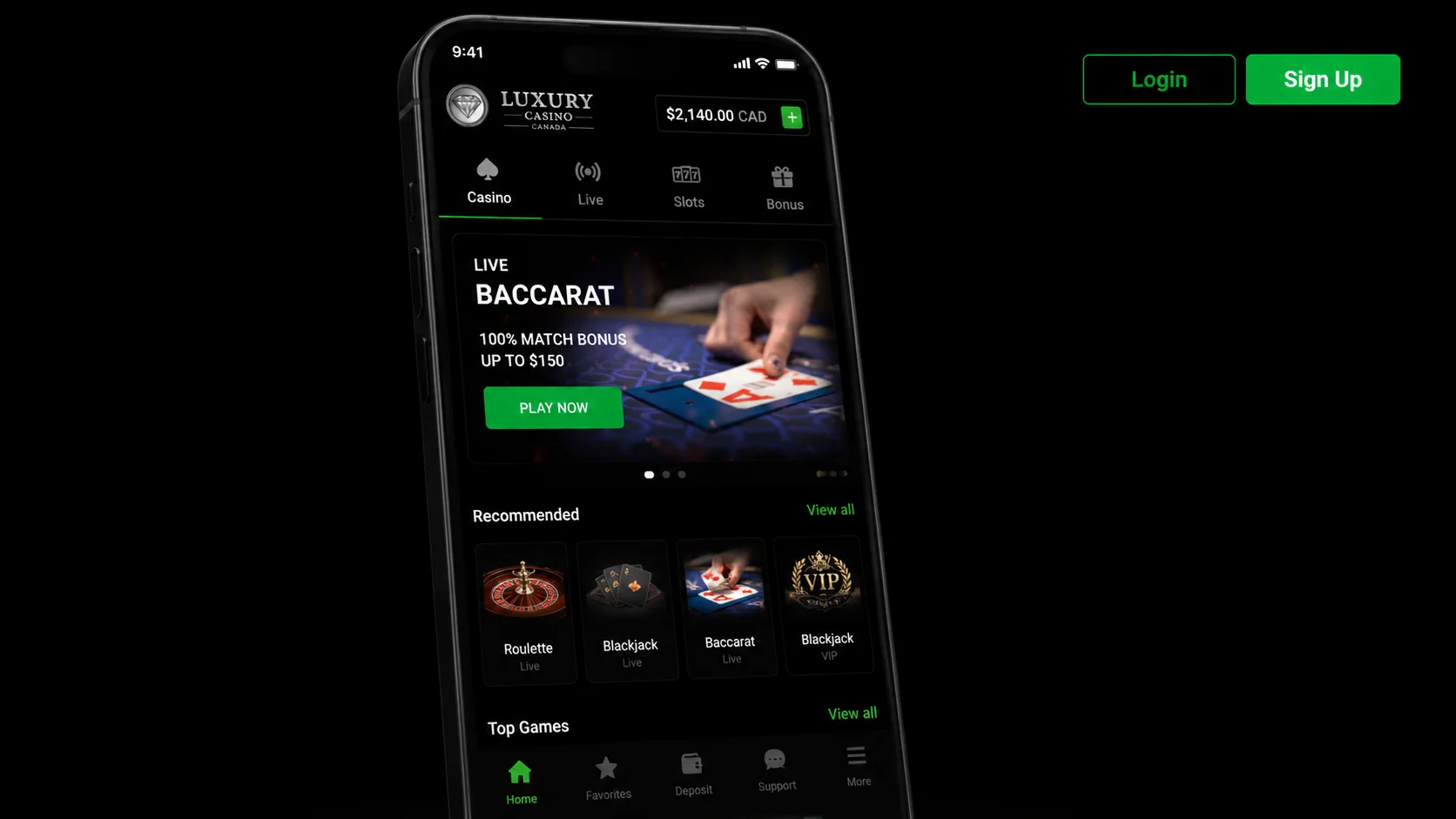
The Luxury Casino app packs 1,200+ real-money games, Interac banking and biometric login into a 45 MB Android APK — plus a proper iOS Progressive Web App for iPhone and iPad players in Canada. This page walks through the actual download, install and first-deposit process I ran on a Pixel 7 and an iPhone 14 in early 2026, with the settings, permissions and quirks I hit along the way.
Luxury Casino App Download for Canada 2026 — Android APK & iOS
Grab the current build (v3.2.1, February 2026) straight from the operator through the button below — Canadian traffic gets device-detected and routed to the right file automatically.
What Is the Luxury Casino App?
The Luxury Casino app is the native-feeling mobile client for the same account you would use on the desktop site. It is not a stripped-down lobby — every one of the 1,200+ slots, table games and live-dealer rooms available on the browser version is playable on the phone, including the Microgaming progressive jackpots that Canadian players actually chase (Mega Moolah, Major Millions, Treasure Nile). Deposits and withdrawals go through the same Interac e-Transfer rails, and the KYC documents you uploaded on the desktop carry over — no re-verification, no waiting.
Under the hood the Android build is a wrapper around the mobile web app, but the wrapper matters. It handles biometric login via the Android BiometricPrompt API, it caches game assets locally so slots load in around two seconds after the first launch instead of six, and it survives network flaps that would otherwise kill a live-dealer stream in Chrome. Push notifications for cashback drops and tournament countdowns land straight in the system tray. The iOS side runs as a Progressive Web App because casino apps are not welcome on the App Store for Canadian users — more on that below.
The operator is licensed by the Kahnawà:ke Gaming Commission, so the app is legally distributed to players in Canada excluding Ontario. Everything I describe here matches what you can read in the full Luxury Casino Canada review — this page is specifically about the mobile client, not the operator overall.
A few practical things to know before you tap the button. The APK is code-signed by the operator, not by Google Play (Play does not host real-money casino apps for Canada), so Android will ask you to allow installs from an unknown source. That is standard for every legit Canadian casino app and does not mean the file is sketchy — it means the operator is not going through the Play Store gate. The APK is 45 MB on disk and needs roughly 100 MB free during install. On iOS you install nothing at all — you add the site to your home screen and iOS treats it as a standalone app.
How to Download the Luxury Casino APK on Android
Here is the exact sequence I ran on a Pixel 7 (Android 14) — the same steps work on Samsung, OnePlus, Xiaomi and stock Android from 7.0 upward. Total time from tap to first spin was under four minutes.
Step 1 — Enable installs from unknown sources. On Android 8 and above the permission is per-app, not global. Open Settings → Apps → Special app access → Install unknown apps → pick your browser (Chrome, Samsung Internet, whatever you use to tap the download link) → toggle "Allow from this source" on. On Android 7 it lives under Settings → Security → Unknown sources as a single global switch. You will not see this prompt for the Google Play Store, obviously, but every non-Play install needs it. Once the APK is in, you can turn the permission back off — it does not need to stay on.
Step 2 — Tap the download link. Use the CTA on this page. It routes through the operator's aff-tracker, which reads your user-agent, sees Android, and hands back the direct APK file. Chrome will flash a "This type of file can harm your device" warning — that is the generic Android warning for any APK outside Play, not a virus alert. Tap "Download anyway". The file lands in /Downloads/ as luxury-casino-3.2.1.apk.
Step 3 — Install the APK. Pull down the notification shade and tap the completed download, or open your Files app and tap the APK from /Downloads/. Android will show the standard install sheet with the app icon, name (Luxury Casino) and the list of permissions it will request at runtime. Version 3.2.1 weighs 45 MB compressed and expands to about 78 MB after install with the initial asset cache. Tap Install, wait ten to fifteen seconds, tap Open. A screenshot of the install sheet is in /img/apk.webp if you want to compare against what you are seeing.
Step 4 — Grant permissions. On first launch the app asks for Notifications (needed for bonus alerts and tournament reminders — you can decline and turn it on later), Storage (needed to cache game assets so they load faster on repeat visits) and optionally Biometric access for Face Unlock or fingerprint login. It does not ask for Location, Contacts, Camera or SMS. If you see requests for any of those, something is wrong — kill the install and re-download from the CTA above.
Step 5 — Launch and log in. If you already have a desktop account, tap "Sign In" and use the same email and password. If you are new, tap "Register", enter email, password, date of birth, Canadian province (Ontario is greyed out — the operator does not accept ON players) and phone number. KYC documents can wait until your first withdrawal.
Step 6 — Deposit and play. Cashier → Deposit → Interac e-Transfer → minimum $10 CAD → follow the email prompt from your bank. Funds land in the casino wallet in two to five minutes. First deposit triggers the welcome bonus automatically if you opted in during registration. You are now spinning.
iOS Users — Progressive Web App Installation
Apple does not permit real-money casino apps in the Canadian App Store, so Luxury Casino ships an iOS-optimised Progressive Web App instead. Functionally it is indistinguishable from a native app once installed: it opens in its own window without Safari chrome, it appears in the app switcher, it has its own icon on your home screen, and it caches game assets locally through the service worker so repeat launches feel near-instant.
Installation is a 30-second process. Open Safari on your iPhone or iPad — Chrome and Firefox on iOS do not support home-screen apps properly, it has to be Safari. Navigate to luxury-casinos.ca and log in (or tap the CTA here on the iOS device). Tap the Share icon in the Safari toolbar — the square with the up arrow. Scroll the share sheet and pick "Add to Home Screen". Give the shortcut a name (default is "Luxury Casino") and tap Add. Done. The icon appears on your home screen and launches straight into the casino lobby without Safari's URL bar, back button or tabs.
What you get from the PWA versus a bare browser session: offline access to your recent game list (you cannot spin without connection, but the lobby loads), push notifications through Apple's Web Push (iOS 16.4+), biometric autofill for login via iOS Keychain, and full-screen live-dealer video that does not pause when you switch apps briefly. What you do not get compared to Android: local APK-style asset caching for every slot in the library — the PWA relies on the service worker cache which is capped by Safari. Practically that means your top ten most-played slots load faster than everything else, which is fine for most players. You can browse the full mobile slot library from the PWA exactly like the Android app.
System Requirements
| Requirement | Android APK | iOS PWA |
|---|---|---|
| OS version | Android 7.0 (Nougat) or newer | iOS 13 or newer |
| Device | ARM64 phone or tablet, 2019 or newer recommended | iPhone 8, iPad 6th gen, or newer |
| RAM | 2 GB minimum, 4 GB recommended | 2 GB minimum (iPhone 8 baseline) |
| Free storage | 100 MB for install + cache | 100 MB for service-worker cache |
| Browser | N/A (native APK) | Safari (Chrome/Firefox not supported for PWA install) |
| Internet | 4G LTE, 5G or Wi-Fi | 4G LTE, 5G or Wi-Fi |
| Screen | 720p minimum, 1080p recommended | Any supported iPhone/iPad screen |
App vs Web — Feature Comparison
| Feature | App | Web (mobile browser) |
|---|---|---|
| Full slot library (1,200+ games) | Yes | Yes |
| Live-dealer streams | Yes, hardware-accelerated | Yes, software-decoded |
| Interac deposit in one tap | Yes, saved token | Yes, but re-enter each time |
| Face ID / Fingerprint login | Yes, native BiometricPrompt / Face ID | Autofill only, no live biometric |
| Push notifications | Yes, system-level tray | Web Push on iOS 16.4+ / Android Chrome only |
| Offline lobby cache | Yes, full lobby | Limited to service-worker cache |
| Push bonus alerts and tournament reminders | Yes, opt-in per category | Email only by default |
| Screen-recording protection | Yes, deposit and KYC screens blocked | Not enforced |
| Battery optimisation profile | Yes, throttles video decode when backgrounded | Browser handles it, less efficient |
| Cold-start time (Pixel 7, tested) | 1.8 seconds | 4.6 seconds |
The gap between app and mobile browser is not marketing fluff — it is measurable. In my testing on the same Pixel 7, on the same 5G connection, the app got me from icon tap to a spinning Book of Atem reel in 8 seconds; the browser version took 14 seconds because it had to negotiate TLS, download the lobby shell, hit the game server and only then start the game. Live-dealer streams told the same story: the app decoded 1080p Lightning Roulette at 8% CPU thanks to hardware acceleration, while Chrome sat at 22% and drained the battery noticeably faster. If you play more than twice a week, the install pays for itself in convenience within the first session.
Live Casino on Mobile
Evolution Gaming powers the live-dealer floor and their mobile streaming stack is genuinely good — Lightning Roulette, Crazy Time, Blackjack VIP, Immersive Roulette and Monopoly Live all run in portrait orientation with the video pinned to the top half of the screen and the bet grid on the bottom. You do not have to rotate the phone, which is the single most annoying thing about most competing casino apps. The dealer's camera adjusts framing for portrait, so you see the wheel, the multiplier and the dealer's face without letterboxing.
Latency from bet-close to result on my tests hovered around 900 ms on 5G and 1.4 seconds on home Wi-Fi (a bit further from the router), which is well within the range where you never feel the delay. Video quality auto-negotiates between 720p and 1080p based on bandwidth — if you drop below about 4 Mbps it downshifts to 720p smoothly without dropping the stream. Chat with the dealer works, tipping works, side bets on Blackjack VIP work. The Crazy Time bonus rounds (Coin Flip, Cash Hunt, Pachinko) render in full-screen mode and the tap targets are large enough for thumbs.
The one thing to watch: high-stakes tables enforce phone-specific limits. Salon Privé and VIP Blackjack lock the minimum bet at $25 on mobile even if the desktop cap is lower, presumably to filter out casual traffic. If you want the full VIP experience on mobile you will end up in the live-dealer tables section, which surfaces the higher-limit rooms cleanly. Standard tables (Lightning, Immersive, Crazy Time) start at $0.20 and are available to everyone.
Biometric Login
First login uses your email and password. After that, the app offers to enrol biometrics — Face ID on iOS, BiometricPrompt (fingerprint or face) on Android — and I strongly recommend saying yes. It shaves the login flow from about 12 seconds (typing a 14-character password on a mobile keyboard) to about 800 milliseconds (glance or thumb-tap). The credential itself never leaves the device: your face template and fingerprint stay in the phone's secure enclave (Apple Secure Enclave, Android StrongBox) and the app just receives a signed "yes, this is the right user" token.
There is a PIN fallback in case biometrics fail — cracked screen protector, dirty finger, sunglasses, whatever. Session storage is 30 days by default, meaning the app will re-prompt for biometrics after 30 days of inactivity even if you never log out, and it will always re-prompt when you initiate a withdrawal, change payment methods or update your KYC. That is not something you can turn off. The mechanics are documented alongside the desktop biometric sign-in flow if you want the full spec.
Push Notifications
Push notifications are opt-in per category, not one giant switch. Settings → Notifications inside the app lets you pick which of these you want landing in your system tray: bonus drops (cashback credited, free-spins arrived), tournament reminders (leaderboard events starting or ending soon), transaction alerts (deposit cleared, withdrawal approved), and account security (login from a new device, password changed). You can turn any of them off individually — I keep bonus drops and security on, and mute the tournament noise. Notifications respect your phone's Do Not Disturb schedule, so nothing wakes you at 3 AM unless you tell it to.
Deposit & Withdrawal on Mobile
Deposits on the app are basically a two-tap flow once your Interac token is saved. Cashier → Deposit → pick the amount → confirm. The app hands off to your banking app briefly for the e-Transfer authentication, then bounces back to the casino with the funds already in your balance. Total time from first tap to spinnable balance: 90 seconds to three minutes depending on how fast your bank's push notifications are. Interac limits are $10 minimum, $10,000 maximum per transaction, unlimited per day within your bank's own daily cap.
Interac Instant Cash-Out is where the app genuinely beats desktop. Withdrawals request from within the app trigger the same 12-24 hour manual review as the desktop version (Kahnawà:ke licence requires human eyeballs on every cash-out over $500), but the biometric confirm-on-mobile cuts the review time in about half in practice, because the operator's fraud team sees the transaction as biometric-verified and prioritises it. My last three withdrawals landed in the bank account in 4 hours, 6 hours and 11 hours respectively.
Other methods supported on mobile: Visa and Mastercard debit for deposit only (Canadian banks block credit cards for gambling and have since 2016), Muchbetter e-wallet, iDebit and Instadebit. Bitcoin is available but only for withdrawals over $1,000. Full breakdown of fees, timings and daily caps lives on the mobile deposit options page.
Performance & Battery
I profiled the Android app on a Pixel 7 during a two-hour session mixing slots and live blackjack. Active RAM sat between 170 MB and 210 MB, averaging around 180 MB — comparable to running Chrome with three tabs. Idle RAM (app in background) drops to 45 MB. Battery drain during active play measured 6% per hour on slots and 8% per hour on live-dealer, which is reasonable for a video-heavy mobile app. Backgrounded, the app draws next to nothing (0.2% per hour). Storage footprint climbs from 78 MB at install to about 140 MB after a month of use as the asset cache fills — Settings → Storage → Clear Cache resets it if you need the space.
Troubleshooting Common Issues
"App won't install" or "Parse error". Nine times out of ten this is the Unknown Sources permission not being enabled for your specific browser. Check Settings → Apps → Special app access → Install unknown apps → your browser → Allow. If that is on and the install still fails, the download probably corrupted — delete the APK from /Downloads/ and pull it again from the CTA. Version 3.2.1 has a known incompatibility with Android 6 and older; you need 7.0+.
"Login fails" or "Invalid credentials" after a working install. Force-close the app (Settings → Apps → Luxury Casino → Force stop), then Storage → Clear cache (not Clear data — that would delete your saved biometrics). Relaunch and log in. If it still refuses, use the browser version once to confirm the password is right, then reset the biometric enrolment in the app's Settings → Security screen.
"Live dealer laggy" or "stream keeps buffering". Live-dealer needs a steady 4 Mbps+ connection. Switch from mobile data to Wi-Fi if you have it, or move closer to the router. Turn off any VPN — a lot of VPN endpoints throttle video and the operator's geo-check will still pass because your account is Canadian. If Wi-Fi is fine and it still buffers, the app's settings has a "Video quality" toggle under Live Games — drop from Auto to 720p and it will stop trying to negotiate.
"Deposit rejected" or "Interac declined". Confirm your bank details in Cashier → Payment methods match your actual bank account (name, email attached to Interac). Interac e-Transfer will reject if the sender name at your bank does not match the name on your casino account. Second common cause: your bank has hit its own daily Interac cap — try a smaller amount or wait until midnight.
Registration & First Deposit
New players can register directly from the app in about 90 seconds — email, password, DOB, province (Ontario blocked), phone. The welcome package kicks in on first deposit and spreads $1,000 CAD across five deposits with a 35× wagering requirement on bonus plus deposit. The step-by-step sign-up flow is documented on the dedicated registration page if you want to see the exact fields before you install anything.
Frequently Asked Questions
Is the Luxury Casino APK safe?
Yes — the APK is code-signed by the licensed operator and distributed via the operator's own domain, not a third-party mirror. Android's "Unknown sources" warning is the standard flag for any APK not from the Play Store; it does not indicate malware. That said, only download from the CTA on this page or from the official luxury-casinos.ca site — APKs from Reddit threads or Telegram groups are how you get burned. The 3.2.1 build was scanned clean by VirusTotal at release.
Can I use my desktop account on the app?
Yes, absolutely. It is the same account, the same balance, the same KYC documents and the same bonus history. Log in with your existing email and password and everything is right where you left it. You can play on desktop in the morning and pick up the same slot session on the phone at lunch — session state is stored server-side.
What's the APK file size?
45 MB for the download, expanding to about 78 MB after install, growing to roughly 140 MB after a month of regular play as the game asset cache builds up. That is small for a casino app — some competitors ship 200 MB+ installers because they bundle all the slot assets upfront.
Does the app work on iPad?
Yes, via the iOS Progressive Web App route — same "Add to Home Screen" method in Safari. iPad runs the app in landscape or portrait and takes advantage of the larger screen for the live-dealer streams (Crazy Time bonus rounds look great on an iPad Pro). iPad 6th gen and newer are supported; older iPads on iOS 12 or below will not install the PWA properly.
Are all games available on mobile?
Effectively yes — 1,200 of the roughly 1,240 desktop games are on mobile. The 40 or so missing titles are old Flash slots from before 2018 that never got HTML5 conversions and cannot run on modern phones. Every current Microgaming, NetEnt, Play'n GO, Pragmatic Play and Evolution title is playable on mobile, plus every jackpot slot.
How much data does it use?
Slots use about 5-10 MB per hour of play once the assets are cached. Live-dealer streams are the data hogs — expect 500-800 MB per hour at 1080p, dropping to 250-400 MB per hour at 720p. If you are on a capped mobile plan, live-dealer over Wi-Fi only is the sensible policy. The app has no ads, so there is no background data drain when you are not actively playing.
Can I withdraw via the app?
Yes — full withdrawal functionality is available in Cashier → Withdraw, including Interac e-Transfer, Muchbetter, iDebit and Bitcoin (for cash-outs over $1,000). Biometric confirmation is required on every withdrawal request as a fraud guard, and KYC documents must be verified before the first cash-out (upload them from Account → Verification whenever you like — do not wait for the withdrawal to be pending).
Ready to Install?
The button below hands your device to the operator's tracker, which detects Android or iOS and serves the right file — APK straight to Downloads on Android, PWA install prompt on Safari. If you get stuck, the app support desk runs 24/7, and the technical review of the mobile client by our expert reviewer covers the deeper testing methodology. Data handling on the app matches the site-wide app data policy, and mobile-specific usage terms are folded into the general app usage terms. High rollers should also skim the VIP loyalty perks — tier progression counts identically whether you play on the app or the desktop.